Blocked sites go through the tunnel
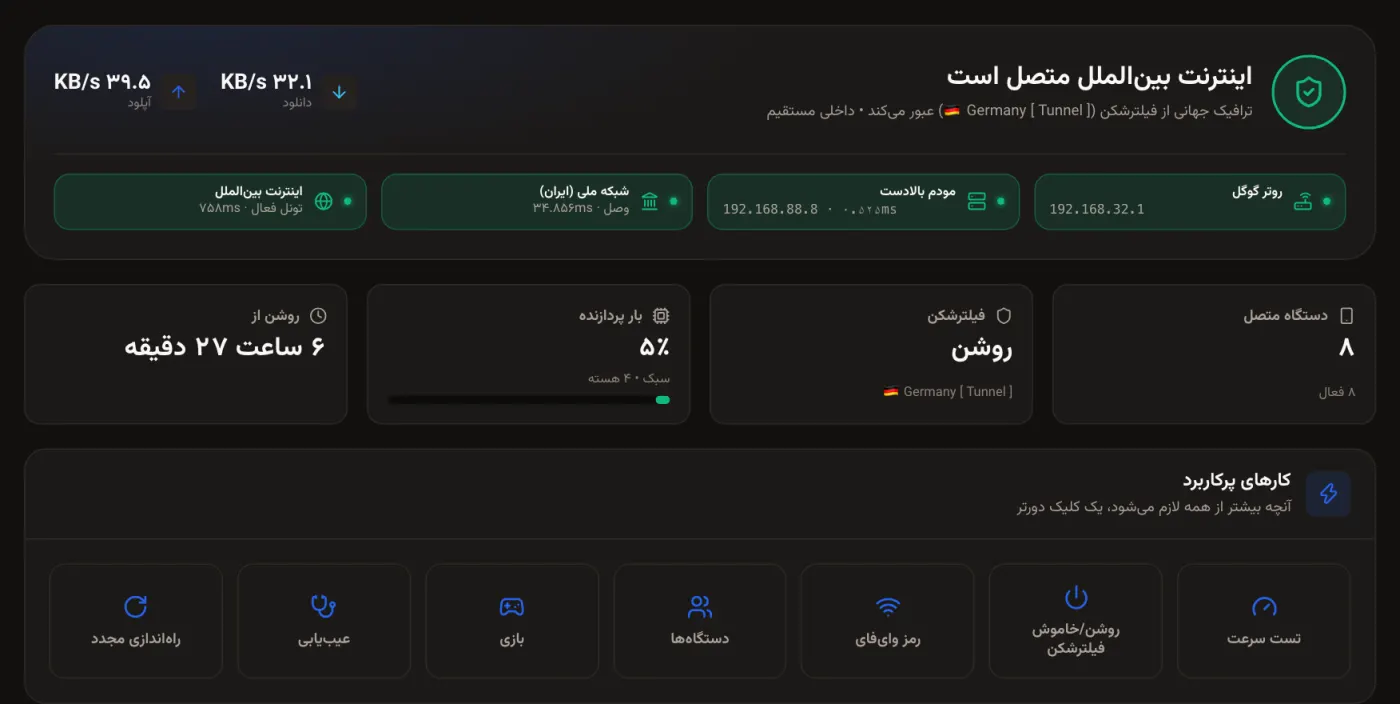
Paste your VPN subscription once. From then on everything on the Wi-Fi goes through it, even a TV that cannot install apps. If a server stops answering, the router tries the next one by itself.
Set the VPN, kids’ bedtimes and gaming priority once, on the router itself. Phones, TVs and consoles are covered without installing a single app, and local sites and banks keep going direct.
Pay once for that router. No subscription.
Paste your VPN subscription once. From then on everything on the Wi-Fi goes through it, even a TV that cannot install apps. If a server stops answering, the router tries the next one by itself.
Payment gateways keep working and local speed stays full, because local traffic never enters the tunnel. No more switching the VPN off to pay a bill.
Give any device a bedtime, a speed limit, or cut it off with one tap. The rest of the home stays online.
Put the console first. When someone downloads a large file, game packets do not wait in the queue.
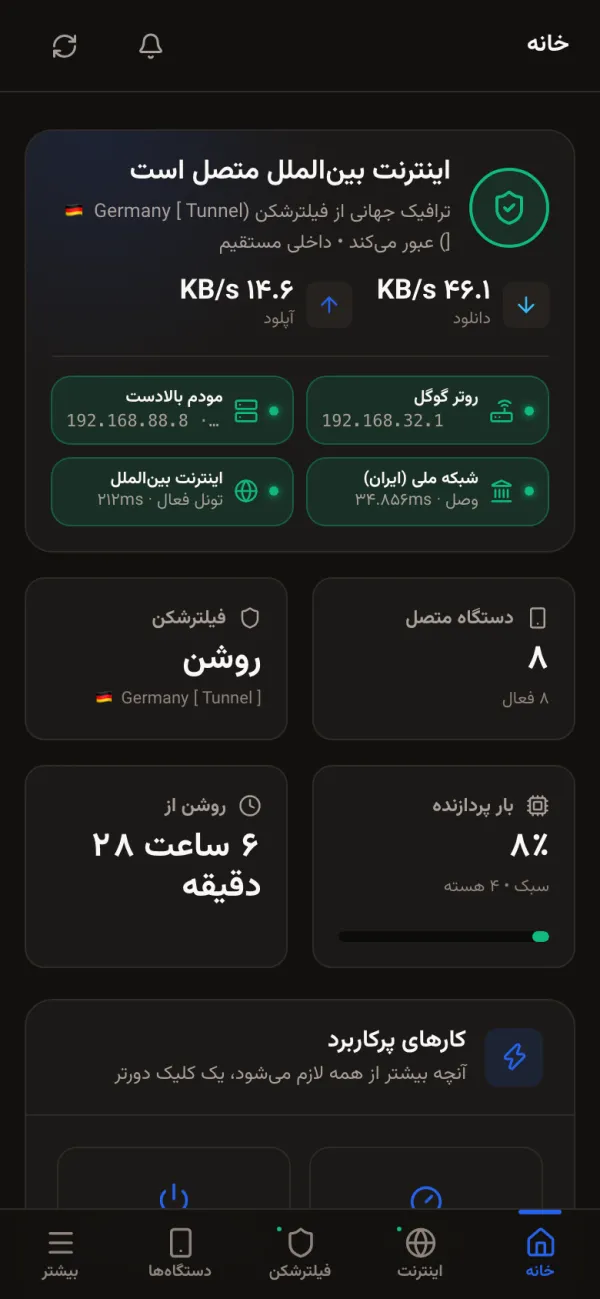
These screenshots come from a real router at work. Every number is read from the router; when something cannot be measured, you see a dash, never an invented number. The panel speaks Persian and English.
Xray (V2Ray), WireGuard and OpenVPN. Paste the subscription link and you are done.
Local sites and banks go direct, automatically.
Block, speed limits, bedtimes and daily usage for each device.
Traffic priority, automatic port opening (UPnP) and NAT type detection.
Encrypted lookups; ads and trackers blocked on the router.
Tower lock, SMS, USSD and a smart mode that measures before it switches.
No networking knowledge needed.
On Windows, Mac or Linux. It finds the router on your network by itself.
When it finishes, the panel opens in your browser.
The one your seller gave you. No internet on the router? A phone works too.
If you sell routers or network services, become a reseller. Your customers see the panel with your name, logo and colours.
No. Everything is set on the router, so anything on your Wi-Fi is covered: phones, laptops, smart TVs, consoles, even cameras. Nothing is installed on any device.
No. Iranian sites and banks automatically take the direct path and never enter the tunnel, so payment gateways keep working and local speed is untouched.
No. WRTPro is the router software. You paste your own subscription or config (Xray/V2Ray, WireGuard, OpenVPN) into the panel and switch it on and off from there.
Today: Google WiFi (1st gen, with OpenWrt 23.05), the ZLT X28 Pro and the D-Link DWR-2000M 5G SIM routers. Each model has its own installer.
Nothing happens to your router. The licence is checked once, at activation; after that the router never contacts us again.
No. You pay once for that router. A factory reset reactivates it for free.
Price, buying, reselling or any question. Write to us and the answer comes to your email.